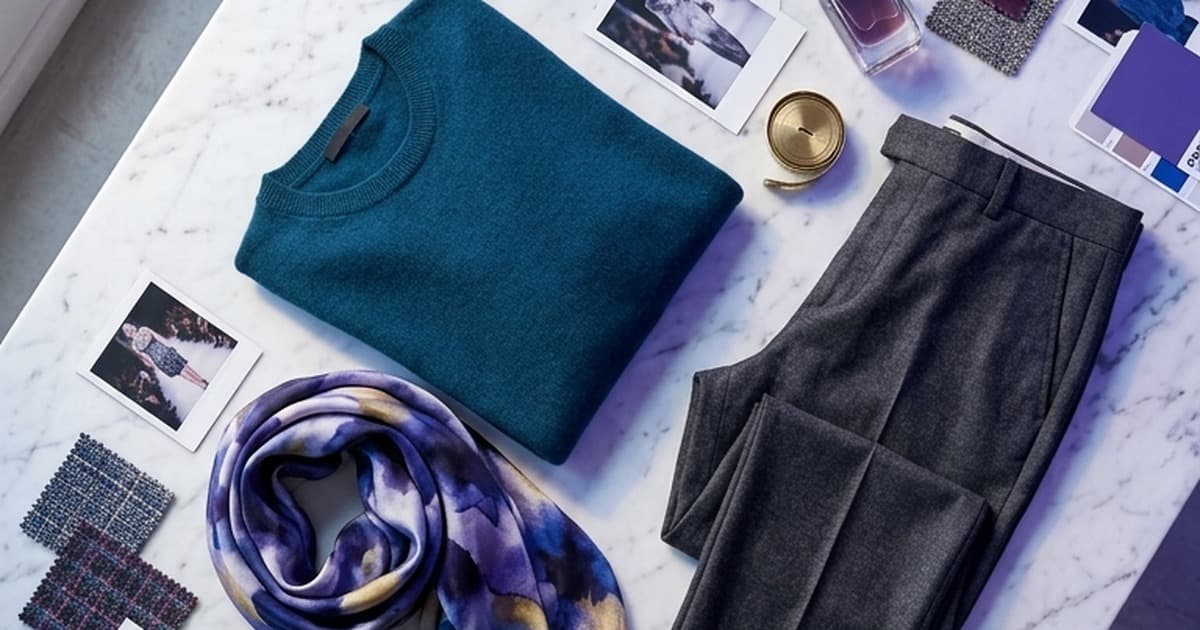
If you've ever produced a seasonal lookbook, you know the drill. Book the photographer six weeks out. Wrangle models, stylists, a creative director, and a location scout. Rent a studio or fly to some aspirational destination. Shoot for two days. Wait three weeks for post-production. Then rebuild the whole thing six months later for the next season.
The lookbook has always been fashion's most important marketing asset—and its most expensive. That's changing fast.
AI photo and video generation is making it possible for fashion brands—from DTC startups to mid-market labels—to create cohesive, on-brand seasonal lookbooks without setting foot in a studio. The results look professional. The timelines are measured in days, not months. The cost is a fraction of traditional production.
Here's a complete breakdown of what the AI lookbook workflow actually looks like, and how your brand can adopt it.
What Is a Fashion Lookbook—and Why Does It Still Matter?
A lookbook is a curated visual catalog that shows how a brand's pieces come together as complete looks. It's part editorial, part catalog, and part brand storytelling. At its best, a lookbook doesn't just show clothes—it communicates a world. A lifestyle. A feeling.
For DTC brands, lookbooks anchor seasonal campaigns. They populate email headers, landing pages, social feeds, and paid ads. They give customers context for products that would otherwise be isolated SKUs on a white background.
For B2B and wholesale buyers, lookbooks are even more critical. Buyers at retail chains, boutiques, or department stores don't have time to dig through your product listings. They want to see the full seasonal line—styled, sequenced, and professionally presented—so they can make fast procurement decisions. A weak lookbook means weak sell-in.
For brand storytelling, a lookbook is often the first thing new customers see. It sets the aesthetic standard. It tells potential stockists and collaborators who you are before a single word is read.
The problem is that producing a great lookbook is expensive, slow, and logistically nightmarish. Until recently, there was no good alternative.
The True Cost of Traditional Lookbook Production
Let's be specific. Here's what a mid-range seasonal lookbook typically costs for an independent fashion brand:
| Line Item | Estimated Cost |
|---|---|
| Photographer (2-day shoot) | $3,000–$8,000 |
| Creative director | $1,500–$4,000 |
| Models (2–3 people, 2 days) | $2,000–$6,000 |
| Stylist + wardrobe assistant | $1,000–$3,000 |
| Location / studio rental | $1,500–$5,000 |
| Hair & makeup | $800–$2,000 |
| Post-production / retouching | $2,000–$5,000 |
| Art direction, layout, design | $1,500–$3,000 |
| Total | $13,300–$36,000 |
For larger brands or more ambitious productions, six-figure budgets are common. The timeline adds another layer of friction—from kickoff to final assets, expect 8–14 weeks if everything goes smoothly. (It rarely does.)
And this cycle repeats every season. Spring/Summer. Fall/Winter. Pre-fall. Holiday. Resort. That's up to five lookbook productions per year for fashion brands operating on a full seasonal calendar.
The math doesn't work for most brands. Especially emerging labels, sustainable brands bootstrapping their growth, or DTC operators who need to move fast and test often.
How AI Generation Changes the Equation
AI photo and video generation doesn't just reduce costs—it changes the entire production model.
Instead of planning a shoot around model availability and studio schedules, you:
- Upload your product images (on hanger, flat lay, or existing studio shots)
- Define your lookbook's creative direction — setting, season, model aesthetic, color palette, mood
- Generate AI scenes that place your garments in photorealistic environments with AI-generated models
- Iterate instantly — don't like the crop? Change the model type? Add more motion? Done in minutes, not weeks
The underlying technology—models like Sora, Kling, Runway, and Pika—has reached a level of photorealism that makes AI-generated fashion imagery genuinely compelling. These aren't uncanny valley robots in ill-fitting clothes. When done well, the outputs are indistinguishable from editorial photography.
The shift isn't just about price. It's about creative velocity.
With traditional production, you get one shot per season. Every creative decision is final. If you want to test a minimal aesthetic versus a maximalist one, you're looking at double the budget and double the time.
With AI generation, you can produce multiple creative directions in parallel, see which performs best in paid social, and double down on the winner—all before committing to any single aesthetic for your seasonal catalog.
What a Modern AI Lookbook Workflow Looks Like
Here's how a fashion brand building a spring/summer lookbook with AI actually structures the process:
Step 1: Creative Briefing (Day 1)
Define the season's direction before generating a single image. This isn't different from traditional pre-production—it's the same creative brief, just faster to execute.
- Setting: Coastal, urban, countryside, studio minimal
- Model aesthetic: Diverse, specific demographics, inclusive sizing
- Color story: Neutrals, pastels, brights
- Mood reference: Editorial, lifestyle, commercial, campaign
- Number of looks: How many outfits need to be featured?
The cleaner this brief, the better your AI outputs. Garbage in, garbage out—this hasn't changed.
Step 2: Product Asset Preparation (Day 1–2)
You need clean product images as your source material. The better your input assets, the better the AI output.
What works well:
- Ghost mannequin shots (the garment holds its shape, seams are visible)
- Flat lay photography (great for simpler pieces)
- Existing e-commerce photos with clean backgrounds
- Fabric swatches for texture reference
What to avoid:
- Heavily compressed JPEGs
- Images where the garment is obscured or poorly lit
- Shots where pattern/texture detail is lost
If you only have basic product shots, that's fine. AI generation models are getting significantly better at preserving garment details from reference images.
Step 3: AI Scene Generation (Day 2–4)
This is where the production happens. Using an AI studio platform, you generate your lookbook scenes by:
- Feeding in your product reference images
- Setting your scene parameters (location, lighting, model)
- Generating multiple variations per look
- Selecting the best outputs and regenerating anything that doesn't hit
For a 20-look lookbook, expect to generate 60–100 candidate images to get 20 hero shots you're happy with. This sounds like a lot, but at near-zero marginal cost per generation, it's trivial compared to reshooting a single outfit in a traditional setup.
Pro tips for better outputs:
- Use consistent lighting direction across all looks for visual coherence
- Specify the same model or model type across scenes for editorial continuity
- Keep your setting consistent (same location, same time of day) to make the lookbook feel like a unified shoot
Step 4: Video Lookbook Extension (Optional, Day 3–5)
Static images are table stakes. Video lookbooks are where AI really pulls ahead of traditional production.
A traditional video lookbook—even a simple one—requires a video crew, direction, editing, music licensing, color grading. It's a completely separate production from the photo shoot, often adding another $15,000–$30,000 to the budget.
With AI video generation, you take your best lookbook stills and animate them. Models walking. Fabric moving in the wind. A slow dolly through a styled room. These short clips (6–15 seconds per look) become your campaign content—for Instagram Reels, TikTok, email headers, and website hero sections.
This is exactly what Tellos AI Studio is built for. You bring the product visuals; the platform handles the generation, sequencing, and output in formats ready for every channel.
Step 5: Post-Production and Layout (Day 4–6)
Even AI-generated images benefit from basic post-production:
- Color correction to ensure consistency across the set
- Light retouching for any artifacts or inconsistencies
- Sequencing and layout in your lookbook template (digital PDF, web-based, or both)
- Copywriting: section headers, product callouts, pricing for B2B versions
This is a one-person job, not a team. A skilled designer with AI-generated assets can finish a complete 20-look lookbook layout in a day or two.
AI Lookbook vs. Traditional Production: Side-by-Side
| Traditional Production | AI-Powered Production | |
|---|---|---|
| Timeline | 8–14 weeks | 5–7 days |
| Cost | $13K–$36K+ | $500–$2,000 |
| Iterations | 1 shoot, fixed | Unlimited variations |
| Scale per season | 1 lookbook | Multiple concepts |
| Video content | Separate production | Included in workflow |
| Model diversity | Casting-limited | Fully customizable |
| Geographic constraints | Location-dependent | None |
The ROI case isn't subtle. For brands doing five seasonal cycles per year, the shift from traditional to AI production can save $60,000–$150,000 annually—while actually increasing creative output and speed to market.
Building Cohesion: How to Make AI Lookbooks Feel Like a Real Shoot
The most common concern brands have: "Will it look consistent? Will it feel like a real collection?"
Yes—if you're intentional about it. Here's how:
1. Lock your aesthetic before you generate. Create a mood board with 10–15 reference images before touching the AI tools. This gives you a clear target to prompt toward and evaluate outputs against.
2. Use consistent model parameters. Most AI platforms let you define or lock model characteristics. If you're building a lookbook around a specific demographic or aesthetic, be explicit in your prompts and stick with it.
3. Match lighting conditions. "Golden hour exterior, soft directional light" in every prompt. Visual consistency comes from lighting consistency more than anything else.
4. Define a location anchor. Pick one setting (or a small related set of settings) for your collection. A sun-drenched Mediterranean courtyard. A minimalist Tokyo apartment. A Pacific Northwest forest trail. Cohesion in setting = cohesion in the lookbook.
5. Batch regenerate problem looks. If three of your twenty looks feel off, regenerate them with updated prompts rather than accepting mediocre outputs. The time cost of regeneration is near zero.
6. Apply consistent post-processing. A single Lightroom preset or color grade pass across all final images does more for visual coherence than anything else. Even AI-perfect images look more cohesive after a consistent grade.
Who Is the AI Lookbook Workflow Right For?
Emerging brands on tight budgets. If you're spending $20K on a lookbook when you have $50K in total marketing budget, you have no money left to actually run the campaign. AI lookbooks flip this ratio.
DTC brands that run frequent campaigns. Flash collections, collabs, limited drops—traditional production can't keep pace. AI can.
Sustainable and ethical fashion brands. Traditional shoots have a surprisingly large carbon footprint (travel, equipment, energy, waste). AI-generated lookbooks are significantly cleaner from a sustainability perspective.
Wholesale-focused brands preparing trade show materials. Buyers need to see the full line presented professionally. AI lookbooks give you buyer-ready materials in days before market week.
Brands targeting diverse customer bases. Traditional casting is limited by geography, agency rosters, and budget. With AI, you can feature models that genuinely reflect your customer base across age, size, ethnicity, and style—without casting constraints.
The Limits (and How to Work Around Them)
AI lookbook generation isn't perfect. Here's where it still struggles—and what to do about it:
Garment accuracy on complex pieces. Intricate embroidery, unusual silhouettes, or heavy texture can sometimes render poorly. Work around this by using cleaner reference images and being explicit in prompts about the garment's key details.
Fine print and text on garments. Logos, printed text, graphic tees—AI models can distort these. If your hero products include bold graphics, consider keeping those pieces in traditional photography and using AI for the rest of the lookbook.
Consistency across many looks. If you need 40+ looks in one cohesive lookbook, maintaining visual consistency gets harder. Solution: work in batches of 8–10 looks with tightly controlled prompts.
Legal and rights considerations. AI-generated human likenesses exist in a gray area in some jurisdictions. Consult your legal team if your market or distribution channel has specific requirements around model imagery. The landscape here is still evolving.
None of these limitations outweigh the core value proposition. They're workflow considerations, not blockers.
What the Future Lookbook Looks Like
The next evolution isn't static at all.
Interactive lookbooks where customers click on garments to shop. Video-first seasonal campaigns where every look has a 15-second ambient video clip for Reels and TikTok. Personalized lookbooks generated on-demand based on a shopper's size, style preferences, and past purchase history. Buyer portals where wholesale accounts can filter the full seasonal line by category, colorway, or price point—all with AI-generated imagery.
This isn't speculative. Brands building on platforms like Tellos AI Studio are already doing version one of this. The gap between what's possible and what's standard is closing fast.
The brands that invest in AI-powered creative workflows now will have a structural advantage in speed, cost, and volume by the time this becomes table stakes.
Ready to Build Your Seasonal Lookbook Without a Studio?
If you're running a fashion brand and still producing lookbooks the traditional way, the math no longer works in your favor. The production costs are too high, the timelines are too long, and the creative flexibility is too limited for how fast the market moves today.
AI lookbook generation isn't a compromise. Done well, it's genuinely indistinguishable from editorial photography—and it gives you capabilities that traditional production can never match.
Tellos AI Studio is built specifically for ecommerce and fashion brands that need professional creative assets at scale. Upload your product visuals, define your creative direction, and generate a complete seasonal lookbook—in days, not months.
Related reading: How AI Video Is Transforming Ecommerce Product Pages